Deleting Branches
From the Repository page, you can delete branches. This allows you to manage your branches by removing old or unwanted branches from your project.
[Menu Proxy — Headings — Online — Depth3 ]
Permission Required?
To create, delete, or merge branches, you must have the following permission setting:

How to Delete a Branch
-
Open a project, and select Repository at the top of the page.
-
At the top of the grid area, select the Branches tab.
-
Select the branch row, and from the toolbar, click
 . (You can select multiple branches at a time.)
Note Alternatively, from the branch row in the grid, click the three-dot
 context menu, and select Delete.
Note You cannot delete the master branch. This default branch always exists because a project must have at least one branch (i.e., a project cannot have zero branches).
-
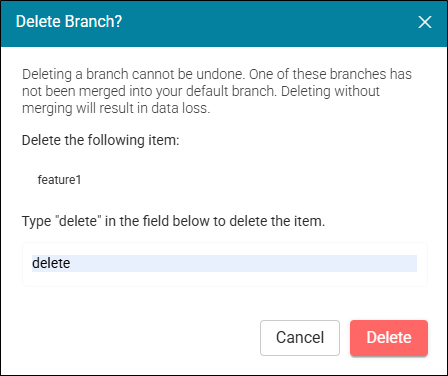
In the Delete Branch dialog, type a confirmation for the action and select the Delete button. The branch is removed from the grid.