Cross-Reference Formats and Commands
 Outputs Supported


Cross-references are based on formats consisting of text and/or various commands. These are associated with the various cross-reference styles and classes in the cascading stylesheet (CSS) file in the project. Also, you can have a different format associated with the cross-reference style in the print medium, so that output displays page numbers instead of just a simple link in the print-based output. When you insert cross-references in Flare Online, the factory default format associated with the main MadCap|xref style—{para}—is always going to be used to display it in the Content Editor (because your CSS styles are not yet rendered in the editor). However, whatever format you've associated with MadCap|xref in the stylesheet will actually be used in the output.
Example Here is the default format associated with the main MadCap|xref style (which you can change in the stylesheet, if you want):
{para}
The format consists of a single command, with no extra text. This particular command is designed to display the first paragraph that it comes across in the destination file, which is usually a heading.
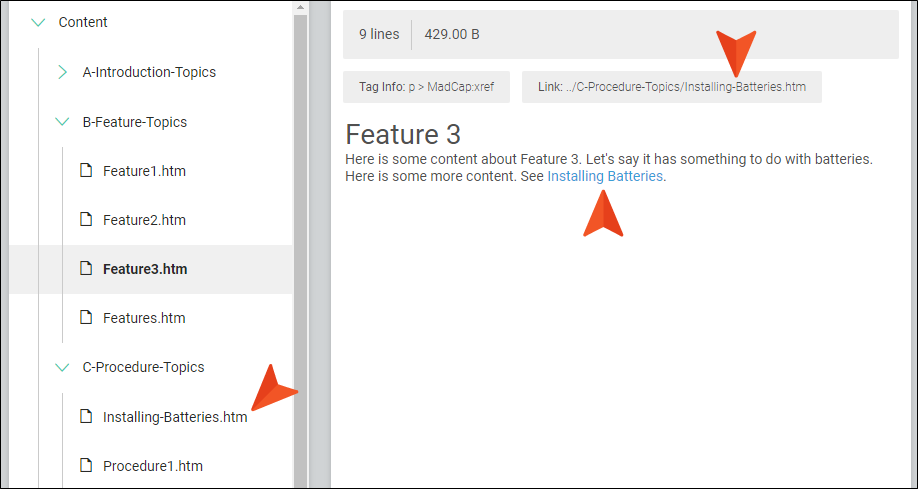
If the destination file starts with the heading Installing Batteries, the inserted cross-reference link will simply display Installing Batteries in online output.
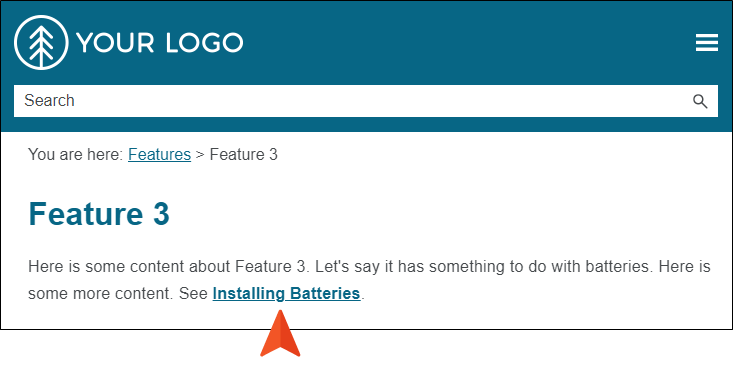
However, for print-based outputs, here is the default format associated with that same style (because it is using the print medium in the CSS file):
"{para}" {pageref}
This format uses two commands, with text (in this case, quotation marks) around one of the commands.
So in print-based outputs, the cross-reference link pointing to the Installing Batteries topic might display something like "Installing Batteries" on page 13.
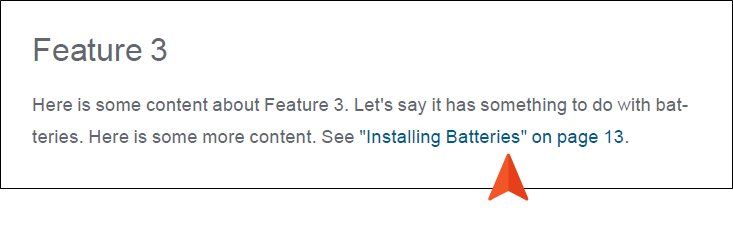
Later, if you decide to change the heading text of the destination topic from "Installing Batteries" to "Installing Large Batteries," the cross-references will be updated automatically when you generate the output. The new heading will automatically be reflected in all of the links using that cross-reference style (e.g., See Installing Large Batteries). If you had used text hyperlinks in a situation like this, you would need to find and replace the text in all of the pertinent links manually.

