Style Rendering
You can see your styles display in the workspace. This means that factory and custom styles defined in your cascading stylesheet (CSS) render in the editor where you work and in your output. Styles from Flare Desktop are respected in Flare Online, as well as styles from stylesheets created using Flare Online. Styles are rendered in both the Content Editor and Review Editor.
[Menu Proxy — Headings — Online — Depth3 ]
Show/Hide Styles
Styles render in the editor by default.
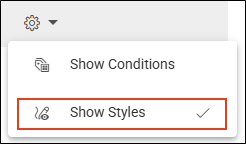
If you want to disable the render, select the Settings drop-down, and click Show Styles. If you switch topics, the current setting is remembered.
Style Markers
Styles render well in the editor—especially since Flare Online is browser-based. However, some tags and markup represented by markers are necessary. These provide a visual cue that more than plain text is present.
|
Marker |
Elements |
||||||||||
|---|---|---|---|---|---|---|---|---|---|---|---|
|
Banner
|
Bookmarks |
||||||||||
|
Dashed Border
|
Conditions |
||||||||||
|
Dotted Border
|
Micro Content |
||||||||||
|
Gray Box
Code not rendered will most likely display in gray boxes. |
|
||||||||||
|
Solid Border
|
Snippets Variables Page Footer Page Header |





What’s Noteworthy?
Note Flare Online supports rendering and applying styles in the workspace. To edit or maintain your regular CSS file, use the Stylesheet Editor feature in Flare Desktop. Alternatively, in Flare Online you can use the stylesheet's Code view, but be advised that editing code is an advanced skill.
