Deleting Publications
You can delete publications from Flare Online.
[Menu Proxy — Headings — Online — Depth3 ]
Permission Required?
For this activity, you must have the following permission to control and allow access to external servers:

A user with Administrator rights is expected to have the Manage Integrations permission to integrate a connector with a Flare Online license.
For this activity, you must have the following permission:

Users associated with a project only need the Publish Builds permission for publishing output.
For more information about permissions, see Setting User Permissions or Setting Team Permissions.
How to Delete Publications
- Select Projects on the left side of the interface, then click a project name to open it.
- At the top of the page, click Output.
- In the Publications grid, click the check box to the left of each publication you want to delete. Or click the top check box to select all publications.
- In the toolbar, click
 .
. - In the dialog, type delete in the field under the listed publications.
- Click Delete.
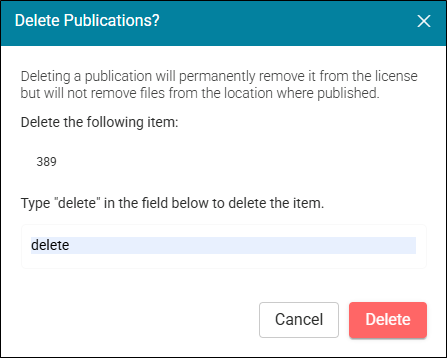
Note Deleting a publication(s) from Flare Online does permanently remove it from the license, but it does not remove it from the external location.
