Annotations
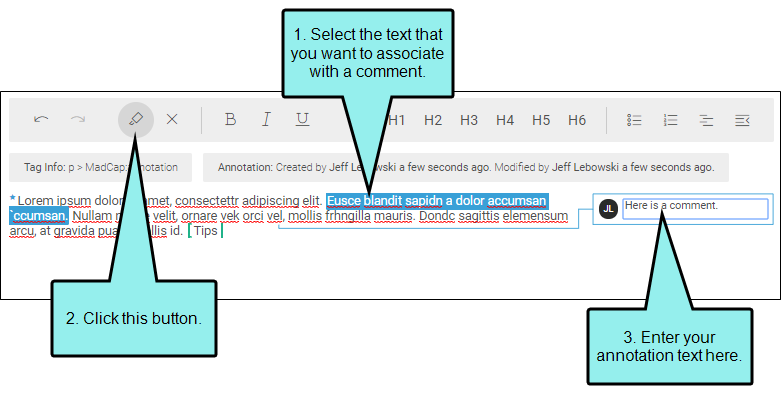
By selecting content in the editor and clicking  in the toolbar, you can insert annotations (i.e., comments) regarding that content. Annotation text is placed in a rectangle in the sidebar to the right. If you click the annotation rectangle, a line points to the content associated with the inserted comment.
When authors review the file in Flare Desktop, they can manually incorporate feedback from annotations and then remove them as necessary.

