Equations for Reviews
Flare Online's editor supports equations. This means that you can create, insert, and edit equations. Teams can author technical content efficiently with browser-based equation editing that keeps complex documentation accurate, consistent, and easy to maintain.
[Menu Proxy — Headings — Online — Depth3 ]
How to Create and Insert an Equation
- In the editor, place your cursor where you want to insert the equation.
-
From the editor's local toolbar, select
 . (If your screen is a smaller size, select
  and then
  .)
.) -
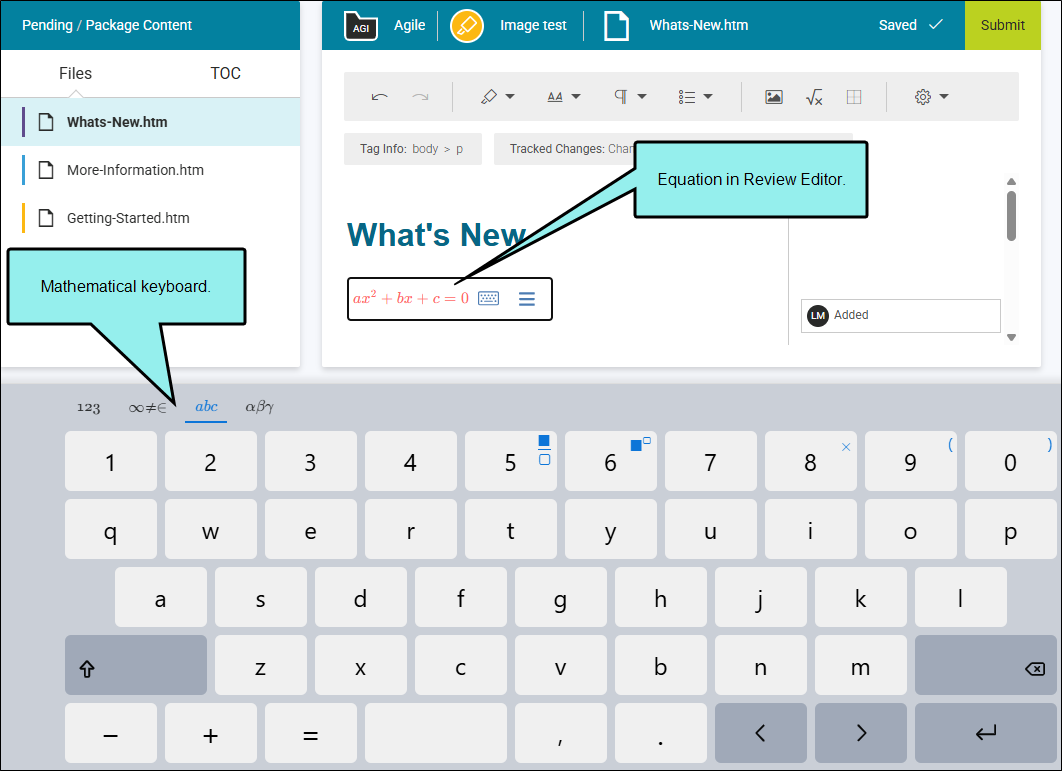
Use the rectangle and browser-based mathematical keyboard to create the equation. See Equation Content Rectangle and Keyboard.
How to Edit an Equation
-
In the editor, click the equation that you want to edit. From the popup, click
 . (You can also right-click the equation and from the menu select Edit Equation.)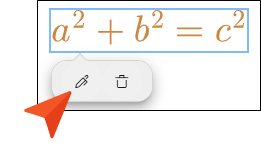
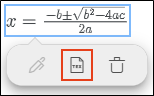
Note If an equation exists in a topic written in the MathML code-based format, you can convert it to the LaTeX format before editing. Click the equation and from the popup select Convert to LaTeX.
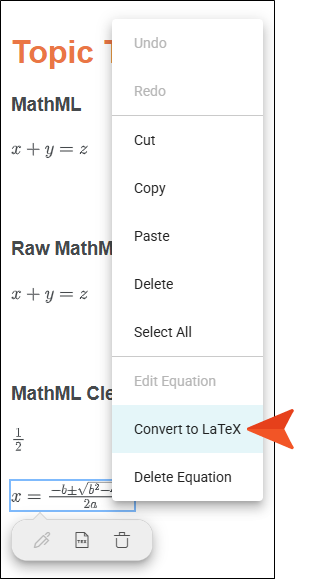
Alternatively, you can right-click the equation and from the menu select Convert to LaTeX.
-
Use the rectangle and browser-based mathematical keyboard to create the equation. See Equation Content Rectangle and Keyboard.
Note Flare Online supports editing equations for the LaTeX and MathML format types. However, to edit the MathML equation, you need to convert it to the LaTeX format (which is easily done in the editor). Both types render in the output, and the format saved is determined automatically by where the equation originated from.
Equation Content Rectangle and Keyboard
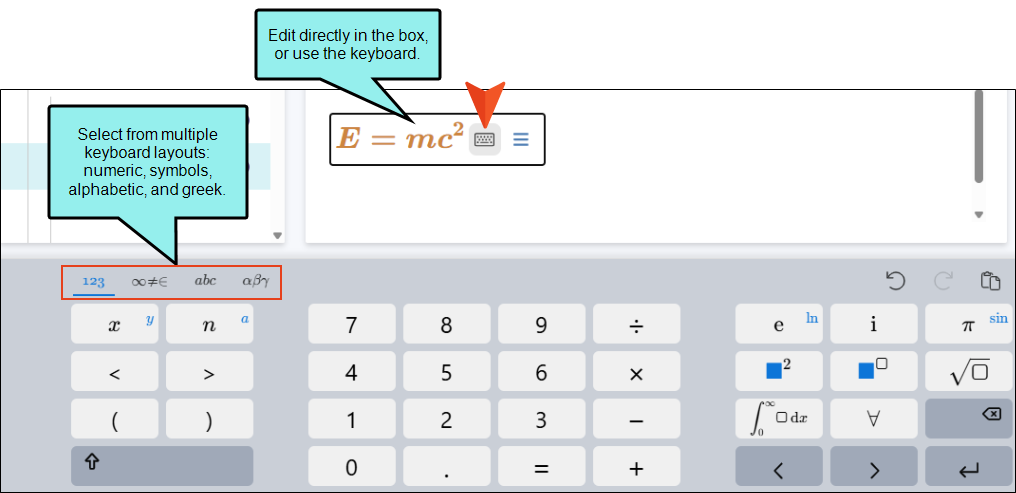
When creating a new equation or editing an existing one, you can type directly in the rectangle that appears in the editor. You can also use the mathematical keyboard that displays at the bottom of the workspace. (Click the small keyboard toggle inside the rectangle to show or hide the keyboard at the bottom of the workspace.)
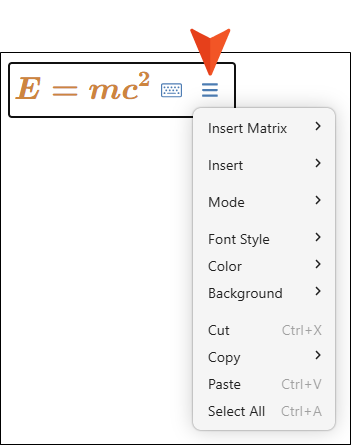
Once the rectangle becomes wide enough, you can click the menu icon to choose various options. Some are equation related, such as the insertion of a matrix, absolute value, derivative, or mode. Others are more basic content options, such as formatting, cut, copy, and paste.
Note The equation editor includes typing modes, Math, Text, and LaTeX, which are simply different ways of entering content into the editor.
How to Delete an Equation
In the editor, click the equation that you want to remove. From the popup, click  . (You can also right-click the equation and from the menu select Delete Equation.)
