Step 5: Building and Publishing Output
If you are associated with a project and have the appropriate permissions, you can open the Output view of a project. From here, you can generate builds, publish to locations outside of Flare Online, and manage various aspects of the project’s output.
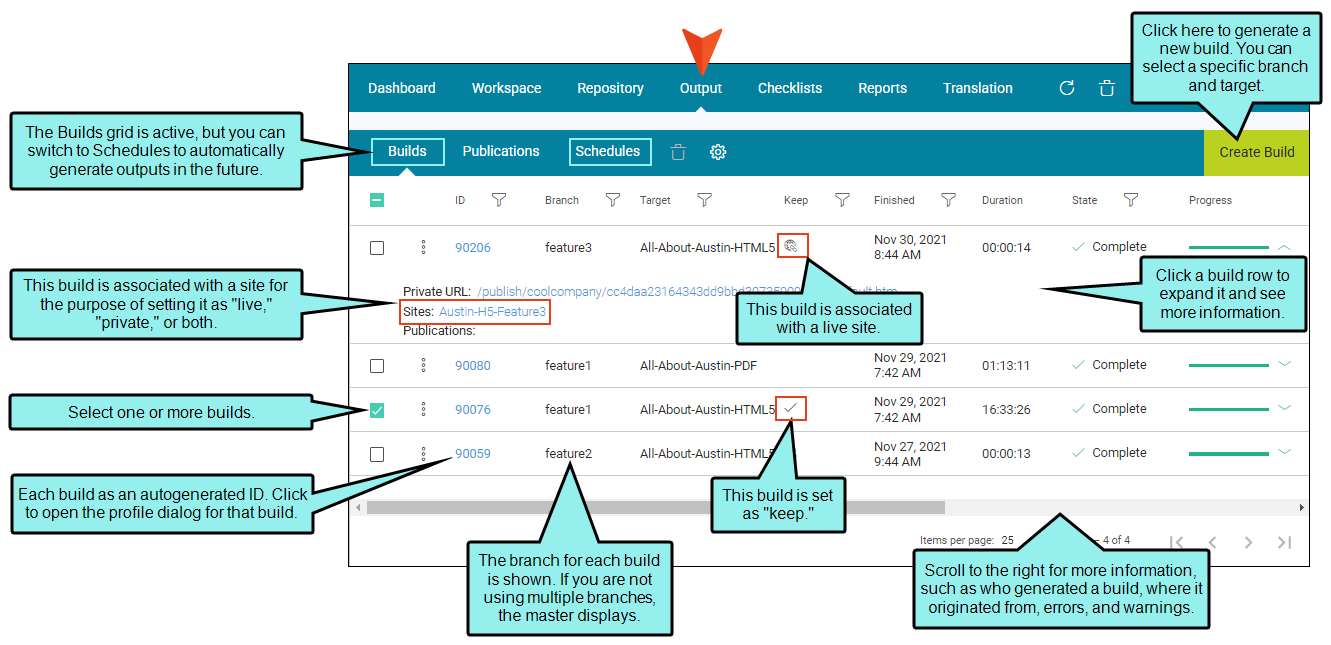
 Main Activities
- Generating and Scheduling Builds
- Publications (publishing to external locations)
- Publishing Directly to Flare Online
- Viewing Output
- Using Analytics
- Deleting Builds
Note If you intend to build a target that links to an outside project (e.g., for the purpose of importing files via Global Project Linking, project merging, or multilingual output), make sure that the other project is also uploaded to Flare Online. Otherwise, the automated imports or merging will not work.

