Branches
Flare Online supports branching, which allows for parallel content development. Because of this, you can make use of existing branches in your project. For example, you can select a specific branch for editing files, creating checklists, and building output.
Flare Online provides a way for you to manage your project branches (without needing to use Flare Desktop). This means that with the proper permissions, you can create new branches, delete old or unwanted branches, and perform simple merge operations—all using Flare Online.
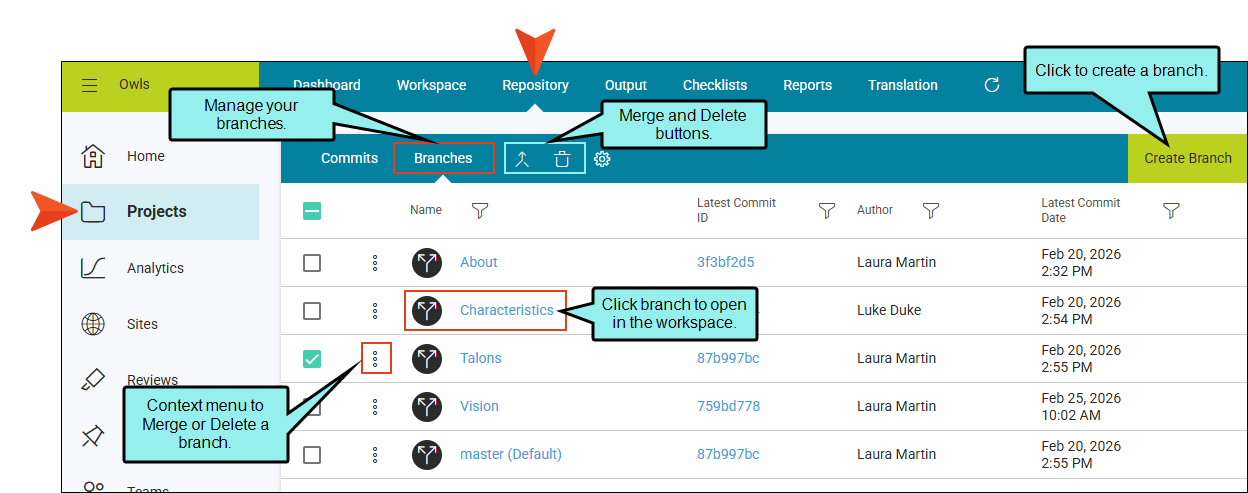
 Main Activities
